
Recent Posts Shortcode
Avada comes packaged with the Recent Posts Shortcode that has 3 different designs to display your recent blog posts. This shortcode has several meta options that allow you to customize the shortcode such as; choose the number of columns from 1-6, number of posts, include or exclude categories, show or hide thumbnails, title, meta, excerpt, excerpt length and more!
3 Different Layouts
Choose from Default, Thumbnail on Side, or Date on Side as your layout. You can also choose the number of columns to be displayed, the number of posts, and which categories, as well.
Recent Posts Default Style
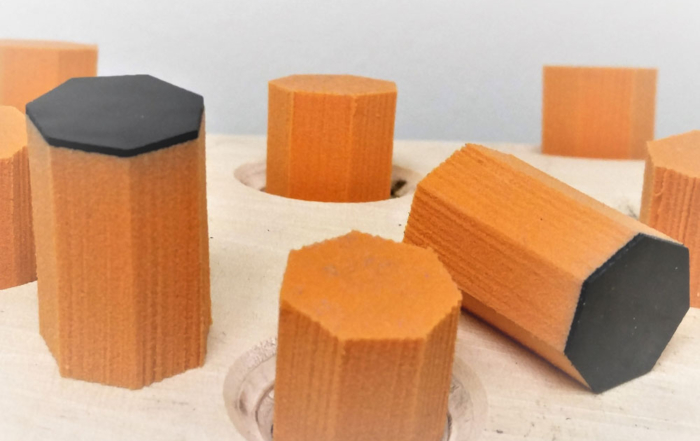
New HS3 Die Runs Faster Without Dimpling
Our innovative HS3 cutting die uses no-glue rubber and ensures 100% strip of residual [...]
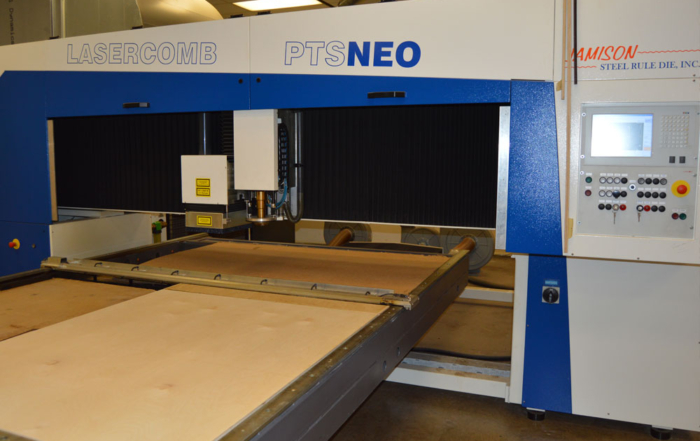
New Equipment Increases Die Making Capacity
As a part of our commitment to having one of the largest die [...]
Recent Posts Thumbnails On Side Style
New HS3 Die Runs Faster Without Dimpling
Our innovative HS3 cutting die uses no-glue rubber and ensures 100% strip [...]
New Equipment Increases Die Making Capacity
As a part of our commitment to having one of the [...]
Recent Posts Date On Side Style
New HS3 Die Runs Faster Without Dimpling
Our innovative HS3 cutting die uses no-glue rubber and ensures 100% strip of residual scrap — resulting in a cleaner finished product without dimpling. HS3 runs [...]
New Equipment Increases Die Making Capacity
As a part of our commitment to having one of the largest die shops under one roof we are always looking for the newest and [...]
Use In Columns
Fit this shortcode perfectly into your website by using them with our columns shortcode. This shortcode is fully responsive and will look good on any screen.
New HS3 Die Runs Faster Without Dimpling
Our innovative HS3 cutting die uses no-glue rubber and ensures 100% strip of residual scrap — resulting in a cleaner finished product without dimpling. HS3 runs [...]
New Equipment Increases Die Making Capacity
As a part of our commitment to having one of the largest die shops under one roof we are always looking for the newest and [...]
Animation Settings
The Recent Posts Shortcode can have CSS3 animations. This allow the thumbnail image on your post to animate when it comes into the viewport to helps catch the viewers eye.
New HS3 Die Runs Faster Without Dimpling
Our innovative HS3 cutting die uses no-glue rubber and ensures 100% strip of residual scrap — resulting in a cleaner finished product without dimpling. HS3 runs [...]
New HS3 Die Runs Faster Without Dimpling
Our innovative HS3 cutting die uses no-glue rubber and ensures 100% strip of residual scrap — resulting in a cleaner finished product without dimpling. HS3 runs [...]
New HS3 Die Runs Faster Without Dimpling
Our innovative HS3 cutting die uses no-glue rubber and ensures 100% strip of residual scrap — resulting in a cleaner finished product without dimpling. HS3 runs [...]
New HS3 Die Runs Faster Without Dimpling
Our innovative HS3 cutting die uses no-glue rubber and ensures 100% strip of residual scrap — resulting in a cleaner finished product without dimpling. HS3 runs [...]
Complete Set of Options
Every option and description included with the recent posts shortcode is listed below.
- layout – Can be one of these values: thumbnails-on-side, default, or date-on-side. Sets the layout for shortcode.
- columns – Can be one of these values: 1, 2, 3, 4, 5, or 6. Sets the number of columns to be displayed.
- number_posts – Accepts a numerical value to show how many posts are displayed. For example, 7.
- cat_slug – The slug name of the category from which you want the posts to be displayed. Use a comma for multiple categories.
- exclude_cats – The slug name of the category you want to exclude. Use a comma for multiple categories.
- thumbnail – Can be one of these values: yes, or no. This will show or hide the image thumbnail.
- title – Can be one of these values: yes, or no. This will show or hide the title.
- meta – Can be one of these values: yes, or no. This will show or hide the meta data.
- excerpt – Can one of these values: yes, or no. This will show or hide the excerpt.
- excerpt_length – Accepts a numerical value to show how many characters or words your excerpt will be. For example, 15.
- strip_html – Can be one of these values: yes, or no. True will show or hide HTML content in the excerpt.
- animation_type – Can be one of these values: none, bounce, fade, flash, shake, or slide. Sets the animation to use on the shortcode.
- animation_direction – Can be one of these values: down, right, left, or up. Sets the incoming direction for the animation.
- animation_speed – Accepts a numerical value from .1, which is the slowest, to 1, which is the fastest.
- class – Add a custom class to the wrapping HTML element for further css customization.
- id – Add a custom id to the wrapping HTML element for further css customization.


